

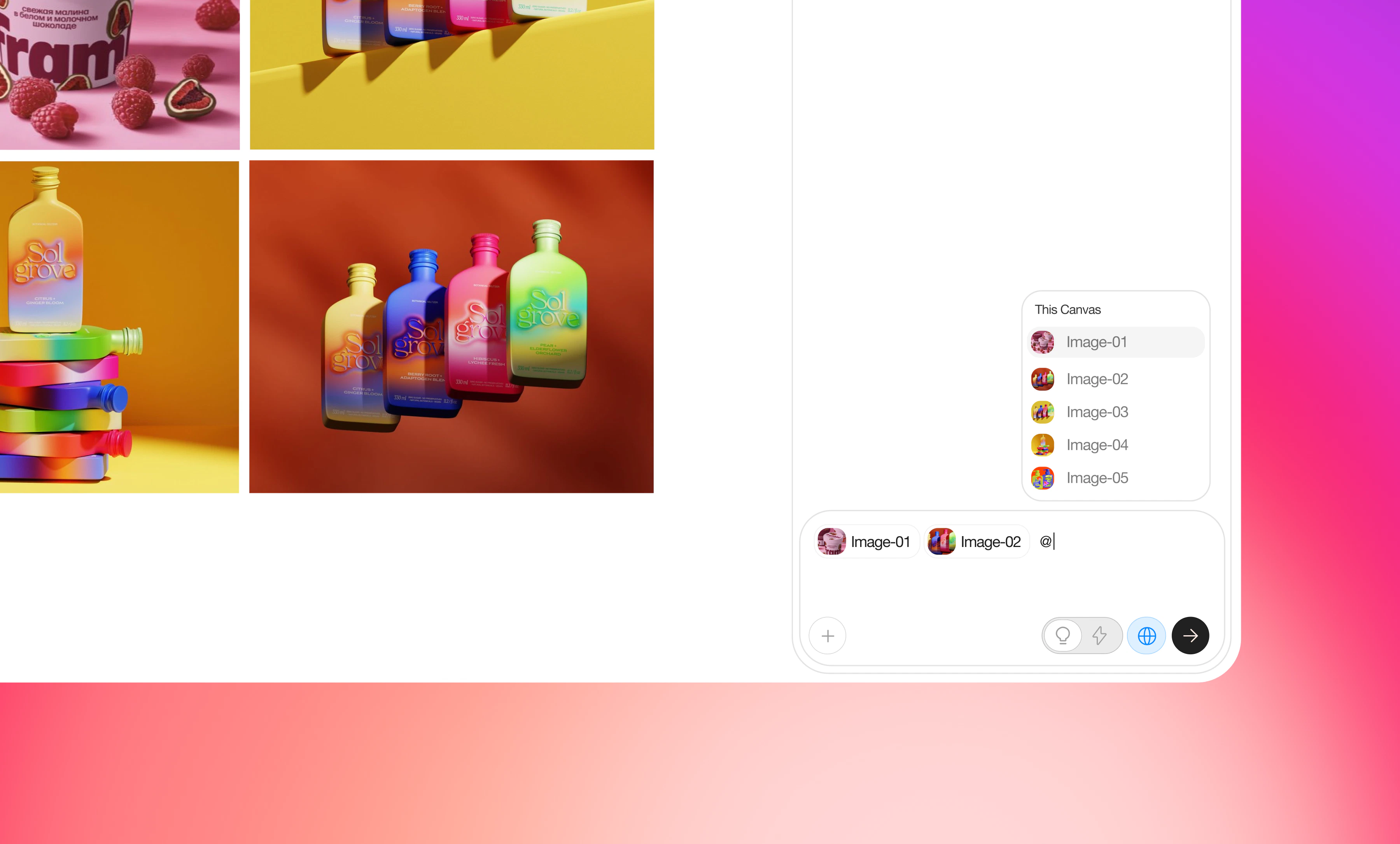
The @ Mention panel is used to explicitly select resources in the current conversation, so the agent strictly uses them as context when generating content.
Core usage
- Type @ in the input box to open a searchable list.
- Choose an image, model, or project from the list, and it will be attached to the current generation request.
Selection logic
- When you @ mention a model, this is a selection logic: the system will execute with the exact model you call, not just treat it as a soft preference.
- Key difference: the Model Select panel defines preferences, while @-mentioning a model is a strong, high-priority instruction that overrides preferences.