> ## Documentation Index
> Fetch the complete documentation index at: https://docs.letscolab.tech/llms.txt
> Use this file to discover all available pages before exploring further.
# Image Generator
Generate 4K design assets with Colab. Access premium models like Nano Banana Pro, Flux 2 Max, and GPT Image. Features aspect ratio control and image referencing.
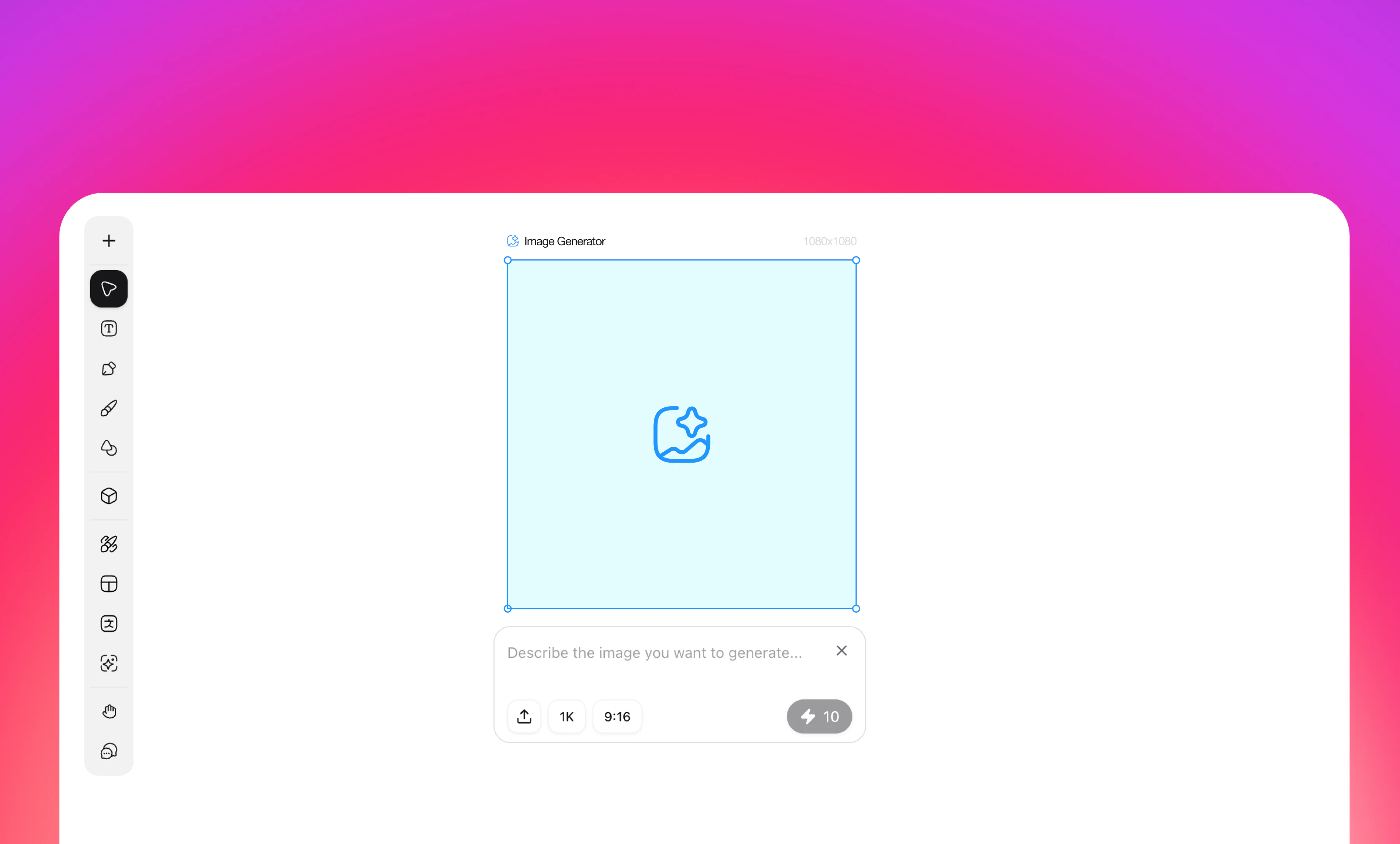 ### **Overview**
AI-powered image generation tool for creating design assets through text prompts
### **How to Use**
1. Click the Image Generator icon in the left toolbar
2. Enter your image description in the "Describe the image you want to generate" input field
3. Configure generation settings:
* **Model**: Select from available AI models
* Nano Banana Pro (default)
* GPT Image 1.5
* Flux 2 Pro
* Flux 2 Max
* Nano Banana
* Seedream 4.5
* Seedream 4
* GPT Image
* ...
* **Resolution**: Choose output quality
* 1K (default)
* 2K
* 4K
* **Aspect Ratio (Format)**: Select canvas dimensions
* 21:9 (1568×672)
* 16:9 (1456×816)
* 4:3 (1232×928)
* 3:2 (1344×896)
* 1:1 (1024×1024) - default
* 9:16 (816×1456)
* 3:4 (928×1232)
* 2:3 (896×1344)
* 5:4 (1280×1024)
* 4:5 (1024×1280)
* **Image Reference**: Optional
* Upload Image
* Select from Canvas
4. Click generate to create your image
5. Generated images automatically appear on canvas for editing
### **Key Features**
* Real-time dimension preview
* Multiple AI model support
* Flexible format options for various use cases
* Image reference capability for style consistency
* Seamless post-generation editing
### **Overview**
AI-powered image generation tool for creating design assets through text prompts
### **How to Use**
1. Click the Image Generator icon in the left toolbar
2. Enter your image description in the "Describe the image you want to generate" input field
3. Configure generation settings:
* **Model**: Select from available AI models
* Nano Banana Pro (default)
* GPT Image 1.5
* Flux 2 Pro
* Flux 2 Max
* Nano Banana
* Seedream 4.5
* Seedream 4
* GPT Image
* ...
* **Resolution**: Choose output quality
* 1K (default)
* 2K
* 4K
* **Aspect Ratio (Format)**: Select canvas dimensions
* 21:9 (1568×672)
* 16:9 (1456×816)
* 4:3 (1232×928)
* 3:2 (1344×896)
* 1:1 (1024×1024) - default
* 9:16 (816×1456)
* 3:4 (928×1232)
* 2:3 (896×1344)
* 5:4 (1280×1024)
* 4:5 (1024×1280)
* **Image Reference**: Optional
* Upload Image
* Select from Canvas
4. Click generate to create your image
5. Generated images automatically appear on canvas for editing
### **Key Features**
* Real-time dimension preview
* Multiple AI model support
* Flexible format options for various use cases
* Image reference capability for style consistency
* Seamless post-generation editing